


A few years ago, completing everyday tasks often meant switching between tools, repeating the same steps, and keeping track of small details manually. Today, much of that effort has faded into the background. Workflows feel smoother, not because people are working harder, but because systems now handle parts of the process quietly.
Artificial intelligence plays a role in this shift, though it rarely announces itself. Instead of arriving as a single tool or dramatic change, AI has been integrated into familiar software, gradually reshaping how work flows from one step to the next.
The result is not a new way of working, but a less interrupted one.
From Manual Steps to Assisted Processes
Traditional workflows relied heavily on human attention. Tasks were passed from one stage to another manually, often through emails, reminders, or checklists. This worked, but it required constant oversight.
AI-driven workflows reduce that need. They observe patterns in how work moves and step in where repetition or delay is common. Files are routed automatically, information is filled in based on context, and next steps are suggested rather than remembered.
This assistance does not remove control. It removes friction. People remain responsible for decisions, while the system manages the predictable parts of the process.
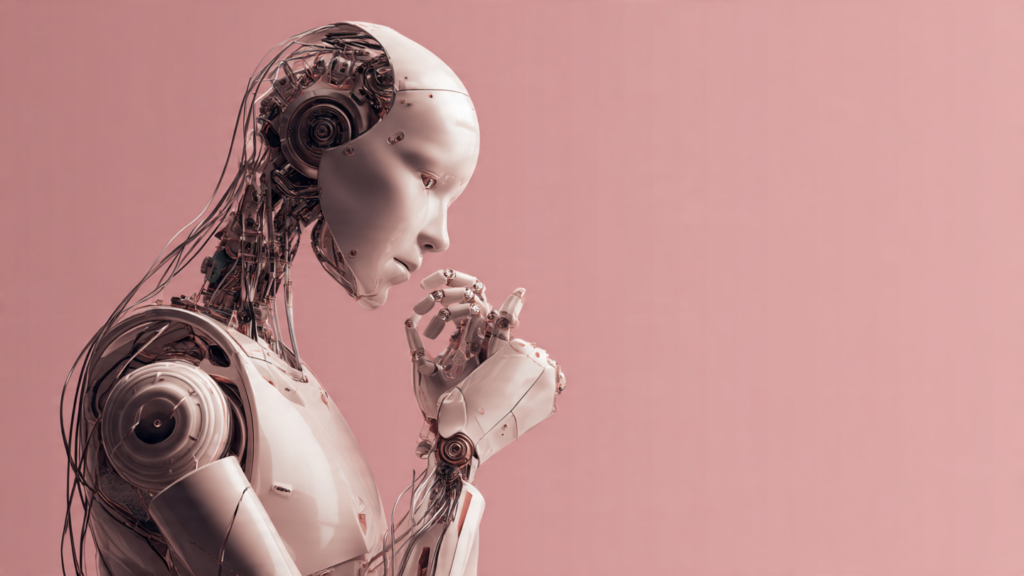
✨ AI Insight:
AI became useful in workflows once it focused on supporting routine transitions rather than trying to redesign how people work.
Everyday Tools That Now Think Ahead
Many common tools now include AI-driven features that anticipate needs. Email platforms highlight urgent messages and suggest quick replies. Document editors recommend edits or formatting based on content. Task managers adjust priorities when deadlines shift.
These features are not separate applications. They live inside tools people already rely on, which is why their presence often goes unnoticed.
Over time, this anticipation changes expectations. Users begin to assume that tools will help organize information and surface what matters without being asked.
Automating the In-Between Moments
Much of the inefficiency in work lives between tasks rather than within them. Updating records, sharing files, or notifying others about progress can consume more time than the core work itself.
AI helps by automating these in-between moments. Status updates trigger automatically. Data syncs across platforms. Routine follow-ups are sent without manual intervention.
Each automation saves only a few moments, but together they prevent work from stalling. Progress continues even when attention moves elsewhere.
Making Information Easier to Find
As workflows grow more digital, finding the right information becomes a challenge. Documents, messages, and data are scattered across platforms, making retrieval slower than creation.
AI-powered search and organization tools address this by understanding context rather than relying solely on exact matches. They surface relevant files based on recent activity, project names, or related content.
This reduces time spent searching and switching focus. Information appears closer to where it is needed, keeping workflows moving.
Supporting Collaboration Without Added Overhead
Team workflows often slow down due to coordination rather than workload. Scheduling, alignment, and follow-ups introduce delays that are easy to overlook.
AI assists by coordinating behind the scenes. Calendars suggest meeting times that work for everyone. Shared documents track changes and summarize updates. Collaboration tools highlight unresolved items automatically.
These features reduce the need for constant check-ins. Teams stay aligned without increasing communication volume.
Adapting to How People Actually Work
One reason AI fits into workflows smoothly is its ability to adapt. Instead of enforcing rigid processes, AI systems learn from usage patterns.
If work happens in bursts rather than strict schedules, reminders adjust. If certain tasks are always delayed, priorities shift. Over time, workflows begin to reflect real behavior rather than idealized plans.
This adaptability makes tools feel supportive instead of prescriptive. Workflows evolve naturally rather than being redesigned from scratch.
Reducing Cognitive Load
Every small decision carries a cost. Choosing what to work on next, remembering follow-ups, or tracking progress all require mental effort.
AI reduces this load by handling low-stakes decisions. It suggests next actions, flags incomplete steps, and keeps track of routine details. This frees attention for tasks that require judgment and creativity.
When fewer decisions compete for attention, work feels more manageable, even when volume remains the same.
Why It Matters
AI’s impact on workflows is not about speed alone. It is about continuity. When work moves forward with fewer interruptions, tasks are more likely to be completed efficiently.
This shift affects not only productivity, but also focus and clarity. Less time is spent managing the process, and more time is spent doing the work itself.
Understanding this role helps explain why AI feels helpful even when it stays out of sight.
A Quiet Redesign of How Work Moves
AI is not replacing workflows. It is smoothing them. By handling repetition, organizing information, and supporting transitions, it allows work to progress with less resistance.
Because these changes happen gradually and within familiar tools, they rarely draw attention. Yet over time, they reshape how work feels on a daily basis.
The future of everyday workflows is not defined by dramatic automation, but by quiet assistance that helps tasks move from start to finish with fewer obstacles along the way.